In the modern architecture and construction industry, we face complex projects, tight schedules, and demands for extreme accuracy. Building Information Modeling (BIM) helps us manage these challenges by creating detailed digital plans. However, a BIM model is only as good as the field data we put into it. This is exactly where a 3D laser scanner tool for BIM becomes essential.
Below, we break down how we implement 3D laser scanners to transform our daily work, from capturing raw data to building intelligent digital models.
Understanding the Basics: Point Cloud and Scan-to-BIM
When we bring a 3D laser scanner to a job site, the device fires a laser beam millions of times per second in all directions. The sensor measures how long it takes for the light to bounce back, calculating the exact distance to every object in the room. This process creates a dense, three-dimensional map of coordinates that we call a Point Cloud.
In our Scan-to-BIM workflow, this point cloud is our foundation. Instead of measuring a room with a tape measure, we scan the physical space to capture the point cloud. We then bring this data into our software to build a smart 3D BIM model. This ensures our digital design matches the exact size, shape, and elevation of the real-world site.
The Importance of Accuracy for As-Built Drawings
At the end of a construction project, we must provide an As-Built Drawing. This is a final record showing exactly how the building was constructed, including any changes made along the way.
Doing this by hand takes too much time and often leads to human error. By using a 3D laser scanner, we can quickly scan the entire structure, including complicated pipes and steel beams. The dense point cloud data allows us to check the final construction for renovation and maintenance needs.
Stepping into the World of Digital Twins
A Digital Twin is a living, exact digital copy of a physical building or asset. To build a Digital Twin for a large facility, we need mapping tools that capture massive amounts of data with total precision.
By combining our 3D laser scanner data with our BIM models, we get more than just a picture. We create an interactive database. We can monitor the health of the building, plan future repairs, and manage facility operations right from our computer screens.
Exploring Our Tool Options
We know there are many great brands in the laser scanning market, such as Leica, Trimble, Faro, and mobile SLAM (Simultaneous Localization and Mapping) technology. For this guide, we will focus on the high-level specifications of the Topcon systems we use, which are built to handle multiple types of job sites.
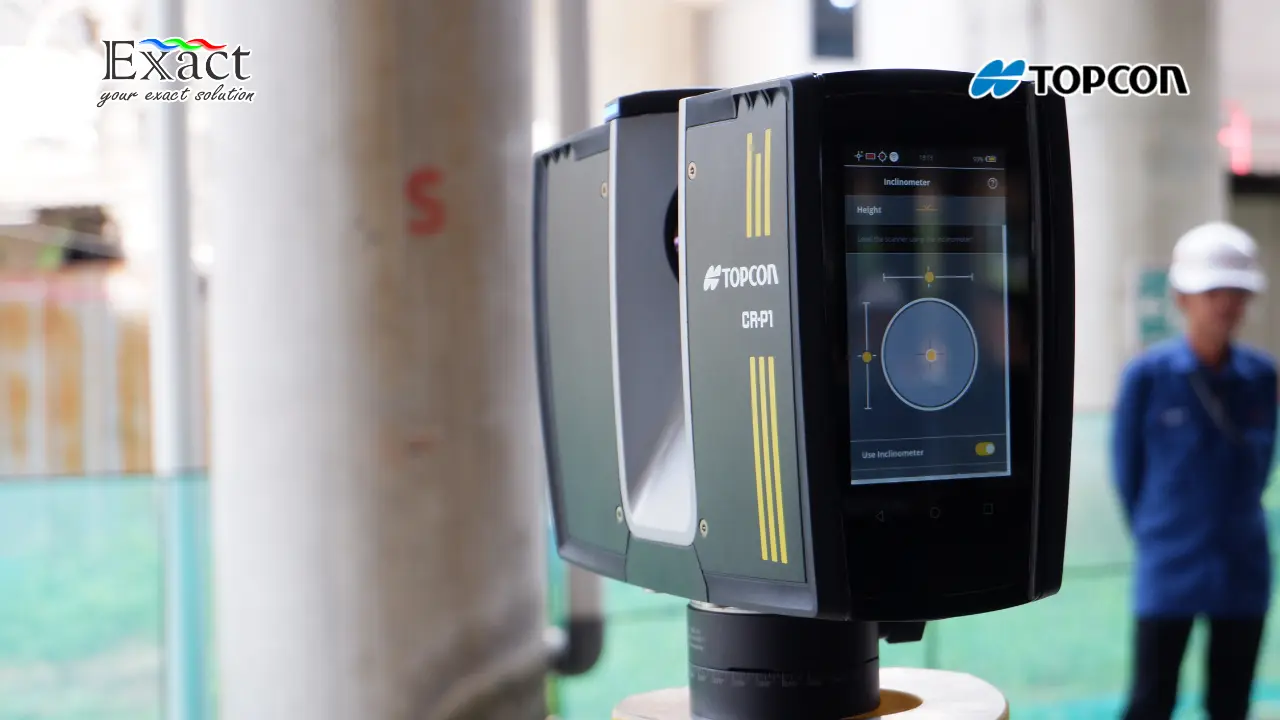
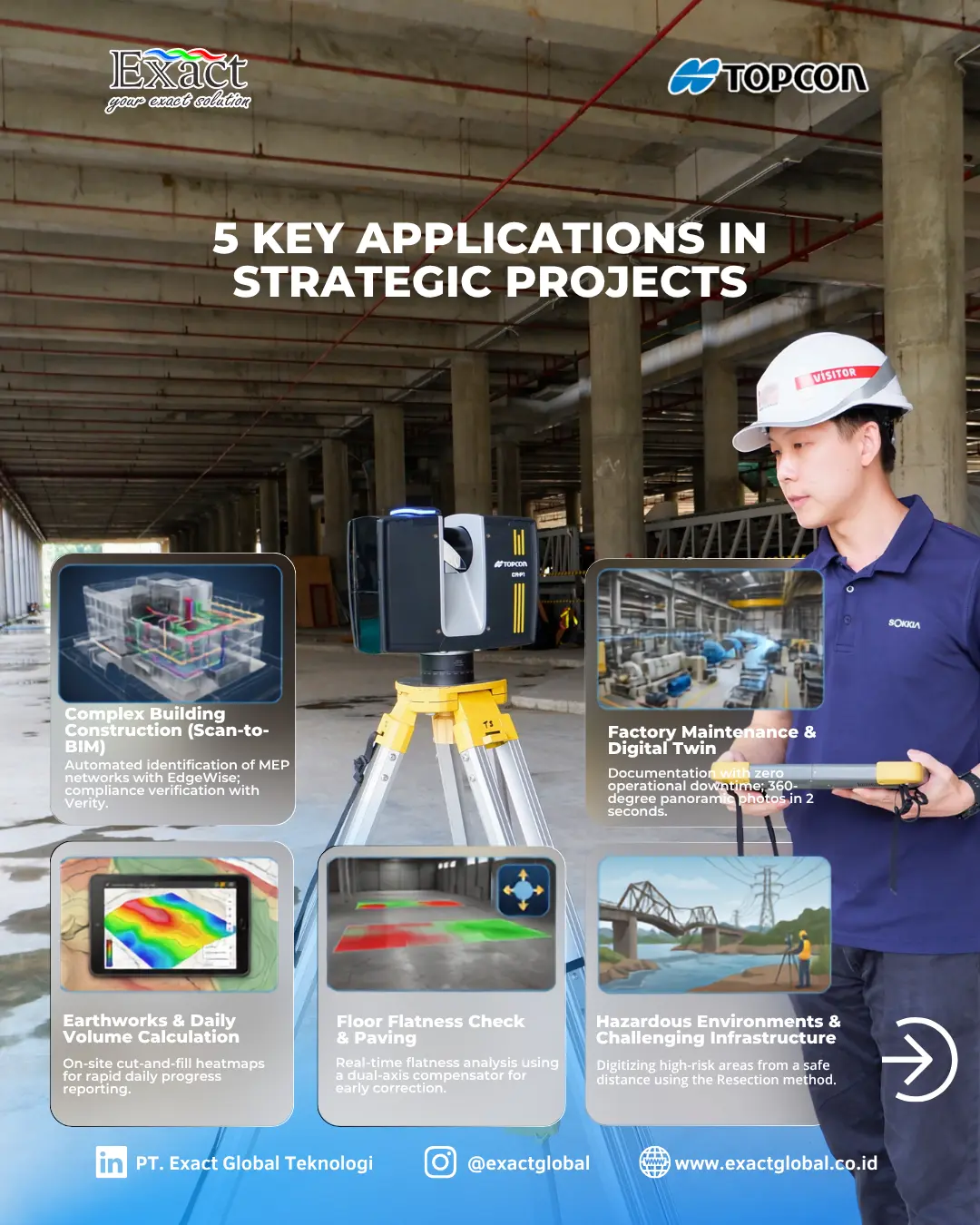
- Topcon CR-P1 (Top-of-the-Line 3D Laser Scanner) This is our premier model. It gives us incredible speed and point density. The CR-P1 scans up to 2 million points per second, making it 16 times faster than older models. We can scan areas up to 400 meters away, which means we capture more area without moving the scanner. It weighs only 4.4 kg, making it easy to carry around the site. We can also use its built-in 13-megapixel HDR camera or an external panoramic camera to colorize our point clouds.
- Topcon GTL-1200 (Laser Scanner Total Station) When we need to combine traditional survey work with 3D scanning, we use this hybrid tool. The GTL-1200 works as a robotic total station and a laser scanner in one single unit. It is perfect for laying out points from our BIM design and then scanning the area to check our work.
- Topcon GLS-2200 (3D Laser Scanner) We use the GLS-2200 for highly accurate scanning tasks. It features an automatic dual-axis tilt compensator to make sure our scans are perfectly level. It also features a “Road Mode” that helps us easily scan dark surfaces like fresh asphalt.
Field Registration Strategies
One of our biggest challenges in the field is registration, which means stitching different scans together. We must make sure the scan from the hallway connects perfectly with the scan from the main lobby. We use a few different methods depending on the site:
- Cloud to Cloud: We use this for fast measurements. The software looks at the overlapping shapes in two scans and locks them together automatically.
- Resection: This is great for construction sites. We set up the scanner over an unknown point and measure to known control points to figure out exactly where the scanner is located.
- Tie-Point Method: We use shared physical targets (like reflective prisms) across multiple scan locations to lock the data together securely.
CR-P1 scanner actually supports a combination of resection and cloud-to-cloud matching, giving us both high accuracy and speed on the job site.
Software Processing for BIM Workflows
Great hardware needs great software. After our 3D laser scanner tool for BIM collects the field data, we must process it. We choose between two different software styles depending on our project needs:
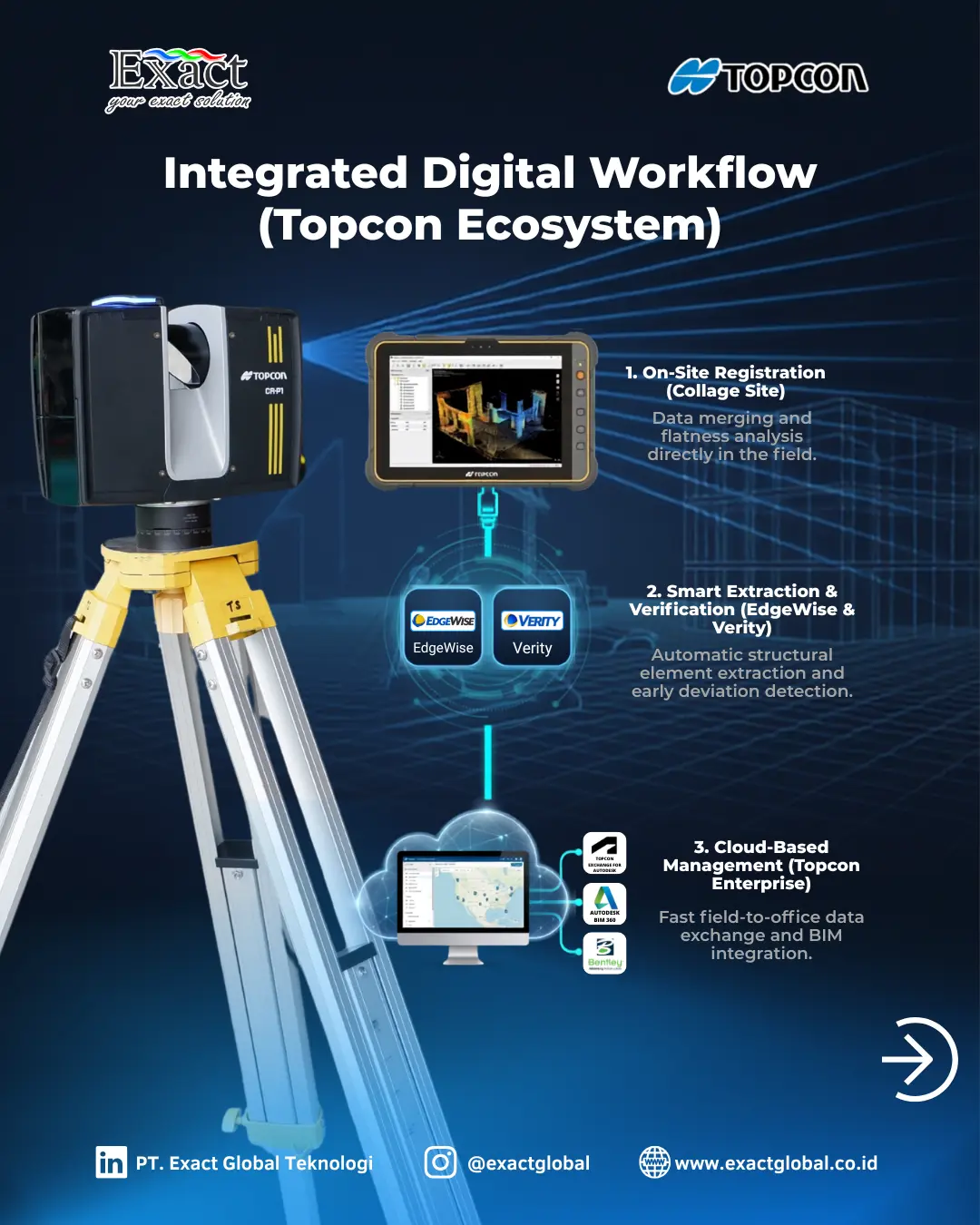
- On-Site Processing (Collage Site) With Collage Site, we complete our processing while we are still standing on the job site. We use a rugged tablet to control the CR-P1 remotely. We register the point clouds and even check the flatness of a concrete floor right then and there. This stops us from having to drive back to the site the next day because we missed a spot.
- Office Processing (Collage Office) When we have massive amounts of high-density data, we take it back to the office. Collage Office runs on a high-performance computer and allows us to merge point cloud data from many different sensors into one giant, highly detailed model with no gaps. From here, we export the data into our BIM or CAD software.
Extracting Point Clouds into BIM Models (EdgeWise and Verity)
In a Scan-to-BIM workflow, tracing over millions of laser points by hand to draw pipes and steel beams is a slow process. To speed this up, we rely on automated software from ClearEdge3D.
- EdgeWise: This software looks at our point cloud data and automatically detects and extracts pipes, walls, and structural steel. It turns the raw scan data into intelligent BIM elements that we can send directly to our design software.
- Verity: We use Verity for construction verification. The software takes our as-built point cloud and places it over our original 3D design model. It automatically checks for differences. If a contractor installed a pipe two inches lower than the design plan, Verity finds it, helping us fix mistakes before they become expensive problems.
Monitoring Scans in Real-Time
We need to know what our scanner is doing at all times. The CR-P1 features real-time scanning status indicators. The device uses lights and sounds to tell us what it is doing. This allows us to stand far away for safety or stay out of the camera’s view, while still confidently knowing the scan is running properly.
Speed and Efficiency for Large-Scale Projects
Time is money on a construction site. By scanning up to 2 million points per second, a full 360-degree scan finishes in about one minute. If we use an external camera, it only takes 2 seconds to capture the panoramic photo. This speed lets us scan tall buildings, huge factories, and complex high-voltage power lines quickly and safely.
Improve Your Project Efficiency With Us
Moving into the digital construction age means we must use the right tools. Using a 3D laser scanner tool for BIM is required for companies that want perfect accuracy, fewer rework costs, and faster As-Built Drawings and Digital Twins.
If you have more questions, want to discuss Scan-to-BIM technology, or need help choosing a 3D laser scanner, our professional team is ready to assist you.
Contact PT Exact Global Teknologi:
- Website: www.exactglobal.co.id
- Email Marketing: marketing@exactglobal.co.id
- WhatsApp: +62 812-9252-3900
Frequently Asked Questions (FAQ)
-
What is a 3D laser scanner tool for BIM?
It is a fast surveying tool that shoots a laser to measure the physical world, creating a massive collection of 3D dots called a point cloud. In Building Information Modeling (BIM), we use this tool to capture the real-world site so we can build an exact 3D digital model or check if the actual construction matches the design plan.
-
What is the difference between a Point Cloud and a BIM model?
A point cloud is just raw data—millions of individual 3D dots that show the surface of an object. A BIM model uses that data to create intelligent digital objects (like a wall or a pipe) that hold information about materials, structure, and cost.
-
Why is scanning speed (like 2 million points per second) important?
High speed means we spend much less time standing in one spot. Faster scanning reduces the time we spend in dangerous or busy construction zones, lowers our labor costs, and speeds up the entire project timeline.
-
Do we always have to process the scan data in the office?
No. We can use software like Collage Site on a high-performance tablet to process and register the scan data right in the field. This allows us to review the quality of our scans and check surface flatness before we ever leave the job site.
-
Can a 3D Laser Scanner work in the dark?
Yes. Laser scanners are active sensors; they emit their own light to measure distance. For example, the GLS-2200 scanner has a Road Mode that can easily scan dark asphalt with high accuracy. However, if we want the final point cloud to have natural color, we still need a well-lit space so the built-in or external cameras can take proper photographs.
-
How does software help automate Scan-to-BIM?
We use software like ClearEdge3D EdgeWise, which reads the point cloud data and automatically finds pipes and steel beams. It builds those elements for us, so we do not have to manually draw every single pipe into our BIM design software.